Ritmo
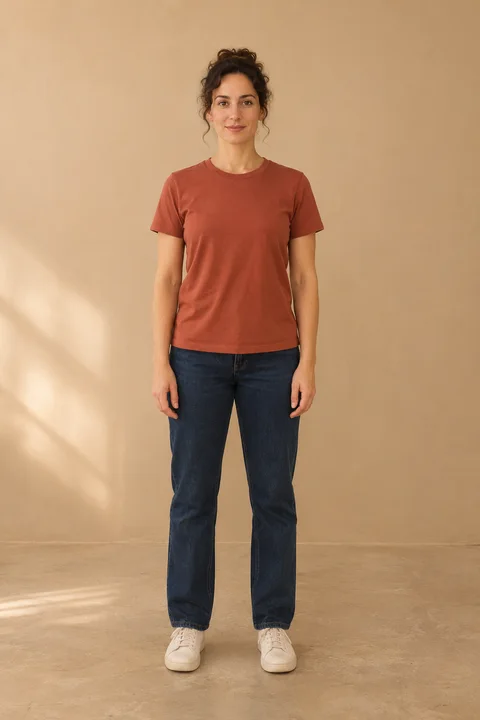
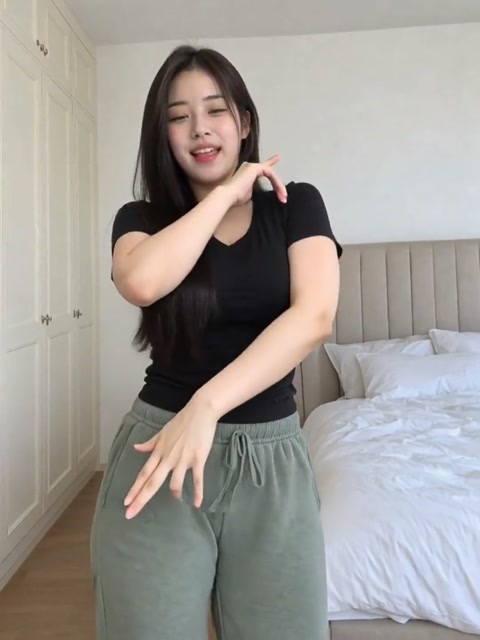
You can try a choreography without filming a take. In Ritmo, your photo supplies the person in the shot and a separate dance clip supplies the movement. Here’s how to choose the two.
Watch the feet first
Play the K-pop Power reference below twice. On the first pass, follow the dancer’s feet. On the second, look at how much room the arms need. This short excerpt helps you choose the movement before you spend credits.
Choose a photo that fits the move
Start with a clear photo of yourself, taken from a few steps away. A side step is easier to frame when both shoes are visible and there’s a little floor on either side. For a move with wide arms, leave some space between your elbows and the edges. The full-body photo guide shows what a tighter crop cuts out.
Check the length, then generate
When the studio opens, select your style and check the final video length and credit cost next to it. Upload your photo and press Generate dance when you’re ready. That’s when Ritmo deducts the credits. You can find the finished clip in My library and download it within 30 days.